
Free Video to Text Converter
Paste a supported public video link. Turn speech into timestamped text to copy or download as TXT, SRT or VTT.
Convert video to text from any link
TikTok, Instagram, Meta Ads, YouTube, Google Drive, X or Pinterest: paste the link and each one comes back as the same transcript, with a timestamp on every line and the spoken language detected.
One box for every source
Videos, Reels, Shorts, ad library ads, X posts, video Pins, shared Drive files and direct .mp4 links all go in the same box. No tool per platform.
A timestamp on every line
AnyScript uses the captions a video already has and transcribes the audio when it has none. Either way, every line keeps its start time.
Translate, then export
Translate the transcript into 180+ languages with the timing kept, then download TXT, Markdown, SRT or VTT.
See a sample video-to-text result
The full result for a 36-second Reel cut from a founder podcast: eight timestamped lines on the left, the breakdown on the right. Every finding links to the second it comes from.
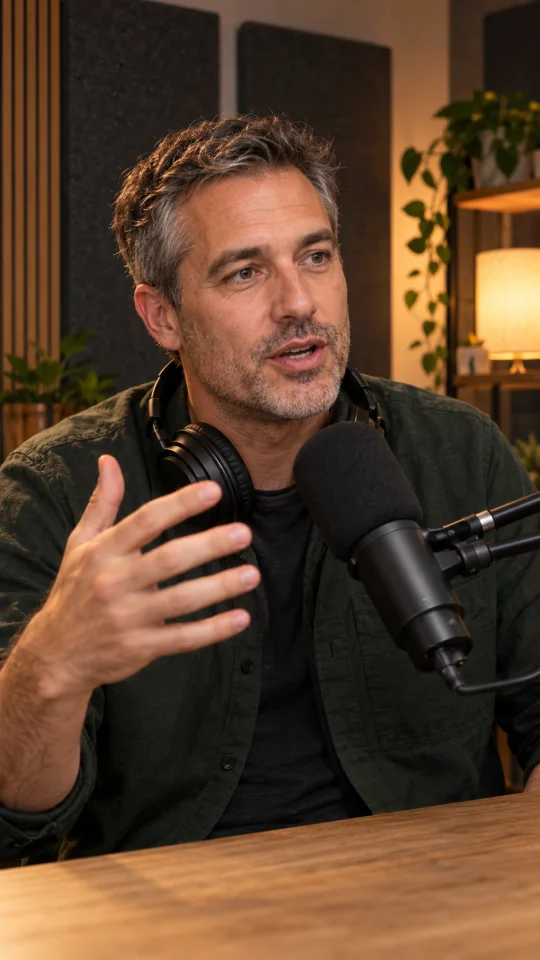 00:36
Sample
We deleted two of our three pricing plans.
- Educational
- Hook ·Contrarian
Transcription
Translate- 00:00
We deleted two of our three pricing plans, and sign-ups went up.
- 00:03
Everyone told us three tiers is best practice. Good, better, best. We had that for two years.
- 00:08
But when we watched session recordings, people sat on the pricing page for almost two minutes.
- 00:13
They weren't comparing features. They were trying to work out which plan they were supposed to want.
- 00:18
So we kept one plan, one price, and a plain sentence about who it's for.
- 00:22
Time on the pricing page dropped to about twenty seconds, and trial sign-ups went up thirty-one percent.
- 00:27
I'm not saying one plan is right for everyone. I'm saying a choice has to be easy to make.
- 00:32
The full episode is on our channel, link in bio.
Hook line
We deleted two of our three pricing plans, and sign-ups went up.
Audience
SaaS founders and growth marketers
Primary angle
Cutting two of three pricing plans raised trial sign-ups thirty-one percent
How it works
1Copy the video’s link
On TikTok, Instagram, YouTube, X or Pinterest, tap Share, then Copy link. For a video file of your own, share it from Google Drive or use a direct link to the .mp4.
2Get the timestamped transcript
Get the spoken words in the video's original language, with timestamps. AnyScript uses usable captions and transcribes the audio when needed.
3Copy or download the transcript
Copy the text or download TXT, SRT or VTT. SRT and VTT keep the timing for subtitles. Translation and analysis are available after you have the transcript.
What is a video to text converter?
A video to text converter turns the speech in a video into written words. The result is a video transcript: what was said, line by line, usually with a timestamp on each line so you can find the moment again. Subtitles are the same text cut into timed cues, which is why a transcript can be saved as SRT or VTT.
Most converters ask for a file. AnyScript starts from the link: it reads a public video on TikTok, Instagram, YouTube, X, Pinterest, an ad library or Google Drive, uses the captions the video already has when they exist, transcribes the audio when they do not, and adds a breakdown of how the video is built.
Video to text converter vs. upload-based transcription
Most video transcription tools start from a file on your computer. AnyScript starts from the link, so a video on TikTok or Instagram never has to be downloaded first.
- Starting point
- Upload toolsDownload the video, then upload the file.
- AnyScriptPaste the link. Nothing to download or convert.
- Videos on social apps
- Upload toolsFind a downloader first, often a different one per app.
- AnyScriptTikTok, Instagram, YouTube, X, Pinterest and ad library links in one box.
- Existing captions
- Upload toolsThe audio is transcribed from scratch every time.
- AnyScriptCaptions are used when the video has them; the audio is transcribed when it does not.
- Timestamps and subtitles
- Upload toolsVaries by tool; some return plain text only.
- AnyScriptEvery line timed; TXT, Markdown, SRT and VTT.
- After the text
- Upload toolsPaste it into other tools to translate or analyze.
- AnyScriptTranslate into 180+ languages and read the breakdown on the same page.
Convert the video to text, then see what it does.
The transcript comes first, timed line by line in the spoken language. Then ask it questions, check every finding against the video, and see the hook, angle and proof it uses.
Video transcription with a time on every line
AnyScript uses the captions a video already has and transcribes the audio when it has none, so a video with captions off still comes back as text. The spoken language is detected and every line keeps its timestamp.
- Translate into 180+ languages with the timing kept
- Timestamped transcripts
- 00:00We deleted two of our three pricing plans, and sign-ups went up.
- 00:03Everyone told us three tiers is best practice. Good, better, best. We had that for two years.
Ask the video, not the timeline
Chat with one video and get answers that quote its transcript: the main point, where the proof sits, which line to pull for a post. No scrubbing back to find who said what.
- Every answer cites the transcript line
- Answers linked to transcript evidence
Where’s the proof that sign-ups went up?
Session recordings showed people stuck on the pricing page for almost two minutes. After the cut to one plan, that fell to about twenty seconds and trial sign-ups went up thirty-one percent.00:00
Ask about content, strategy, or generate a usable script…Every finding, checked against the video
Findings link to the exact line and timestamp, and to the frame when one is available. Click one to jump to that moment and check it before you quote it.
- The line, timestamp and key frame behind each finding
Analysis
Transcription
- 00:00We deleted two of our three pricing plans, and sign-ups went up.
- 00:03Everyone told us three tiers is best practice. Good, better, best. We had that for two years.
- 00:08But when we watched session recordings, people sat on the pricing page for almost two minutes.
- 00:13They weren't comparing features. They were trying to work out which plan they were supposed to want.
- 00:18So we kept one plan, one price, and a plain sentence about who it's for.
What the video says, and how it is built
Beyond the text, the breakdown names the hook type, the angle, the proof and the call to action, and maps the video in beats from hook to close, each with the timestamp of the line behind it.
- Hook, angle, proof, offer and CTA
- A five-axis scorecard, never a made-up total
- Evidence-backed analysis
Every video transcript, saved and exported your way.
Download TXT, Markdown, SRT or VTT, send to Google Sheets, Notion or Obsidian, and search everything you have transcribed by what was said.
Download the video transcript as TXT, SRT or VTT
Copy transcripts or export TXT, Markdown, SRT, VTT, DOCX, PDF and CSV. Send results to Google Sheets, Notion or Obsidian, with transcript timestamps preserved.
- TXT, Markdown, SRT and VTT
- Timestamps kept in every format
- Translate before you export
We deleted two of our three pricing plans.
Transcription
00:00We deleted two of our three pricing plans, and sign-ups went up.00:03Everyone told us three tiers is best practice. Good, better, best. We had that for two years.Analysis
Hook archetypeContrarianAngle categoryConvenienceSearch every video you have converted
Search titles, creators, transcripts, translations and analyses at once. Filter by platform, hook type, format and CTA intent, star the keepers and file them in folders.
- … of our three pricing plans, and sign-ups …00:00
Transcribe a whole set of videos, then compare them.
Put 3 to 50 videos from a creator, a collection, an ad library search or your own list of links into one Research set, and see what they keep saying.



Transcribe a creator, an ad search or a list of links
Paste a TikTok or Instagram profile for its recent videos, a TikTok or Meta Ad Library link for the ads behind a search, a Pinterest board or a shared Google Drive folder. Up to 50 links in one run.
- Profiles, collections, boards and folders
- TikTok and Meta Ad Library links
- Up to 50 videos per run
Compare patterns, evidence and exceptions across videos
3Videos · 3 Brands
Every video read the same way, side by side
Each video in the set is analyzed with the same fields, so hooks, claims and calls to action line up in one grid. Each pattern lists the videos that support it and the ones that break it.
- Pick a goal: viral hooks, competitor strategy, conversion and CTA, or your own question
- Ends with a blueprint you can brief from
- Compare patterns, evidence and exceptions across videos











Curiosity gap5/12
Turn a transcript into a script of your own.
Keep the structure that worked, swap in your product, audience and voice, and get a draft that does not copy a single line.
A new script from a video that worked
Choose what to keep from the video, the hook, the angle, the format or the structure, and get a script for your product, platform and length.
- Borrows the logic, not the lines
- Drafts and revisions
Original
DraftNote App
Your product’s voice, saved once
Save your product, audience, brand voice, default platform and the claims you must mention. Every draft starts from that profile, and every version is kept.
- Creator profiles
Note App
Creator profile
- Students and freelancers, 18 to 35
- Calm, clear, a little dry
Specific number
Problem callout
Loss frame
Three directions from a set of videos
Give a Research set a short brief and get three original directions, each with an angle, hook, structure, proof plan and CTA, then a full draft with a visual note for every beat.
- Built from a full Research set
Skincare competitors: 12 ads
Not “copy this script.” Instead: “use this creative logic for my product.”
Who uses it
.srt
1 · 00:00:00,000
2 · 00:00:03,800
3 · 00:00:08,400
What you get
- An SRT or VTT file that lines up with the clip
- The same captions in another language, timing kept
- Quotable lines with their timestamps
From a video you keep replaying to text you can use
Example
Before
- a 10-minute video to rewatch
- pausing to type out quotes
- timestamps noted by hand
- a second tool to translate
- captions rebuilt in the editor
With AnyScript
- 1 pasted link
- 1 timestamped transcript
- quotes copied with their time
- a translation, timing kept
- 1 SRT file for the edit
Analyze more. Research and create with Plus or Pro.
FAQ
Answers for this tool
Copy the video’s link and paste it into the box at the top of this page. In about a minute you get every spoken line with its timestamp. You can copy it, translate it, download it, or open the analysis.
Works with every platform
Paste a link from any of them and get the same transcript, breakdown and exports.
- TikTok transcript generatorTikTok videos and Shop ads, with the hook, proof and CTA broken down.
- Instagram Reels transcript generatorReels turned into text, with the hook, structure and CTA broken down.
- YouTube transcript generatorShorts and YouTube videos turned into text, with the structure mapped beat by beat.
- X/Twitter video transcriptVideos posted on X, turned into a transcript and a breakdown.
- Pinterest video transcriptVideo Pins, turned into a transcript and a breakdown.
- Google Drive transcriptionYour own video files, shared from Drive, transcribed and analyzed.
- Meta ad transcriptsAds from the Meta Ad Library, with the offer, proof and CTA broken down.Paste the link above
Convert a video to text from its link.
Every spoken line with its timestamp, ready to translate, export or analyze.
Transcribe, analyze, research and create